Visual analysis
Test the claim with the numbers.
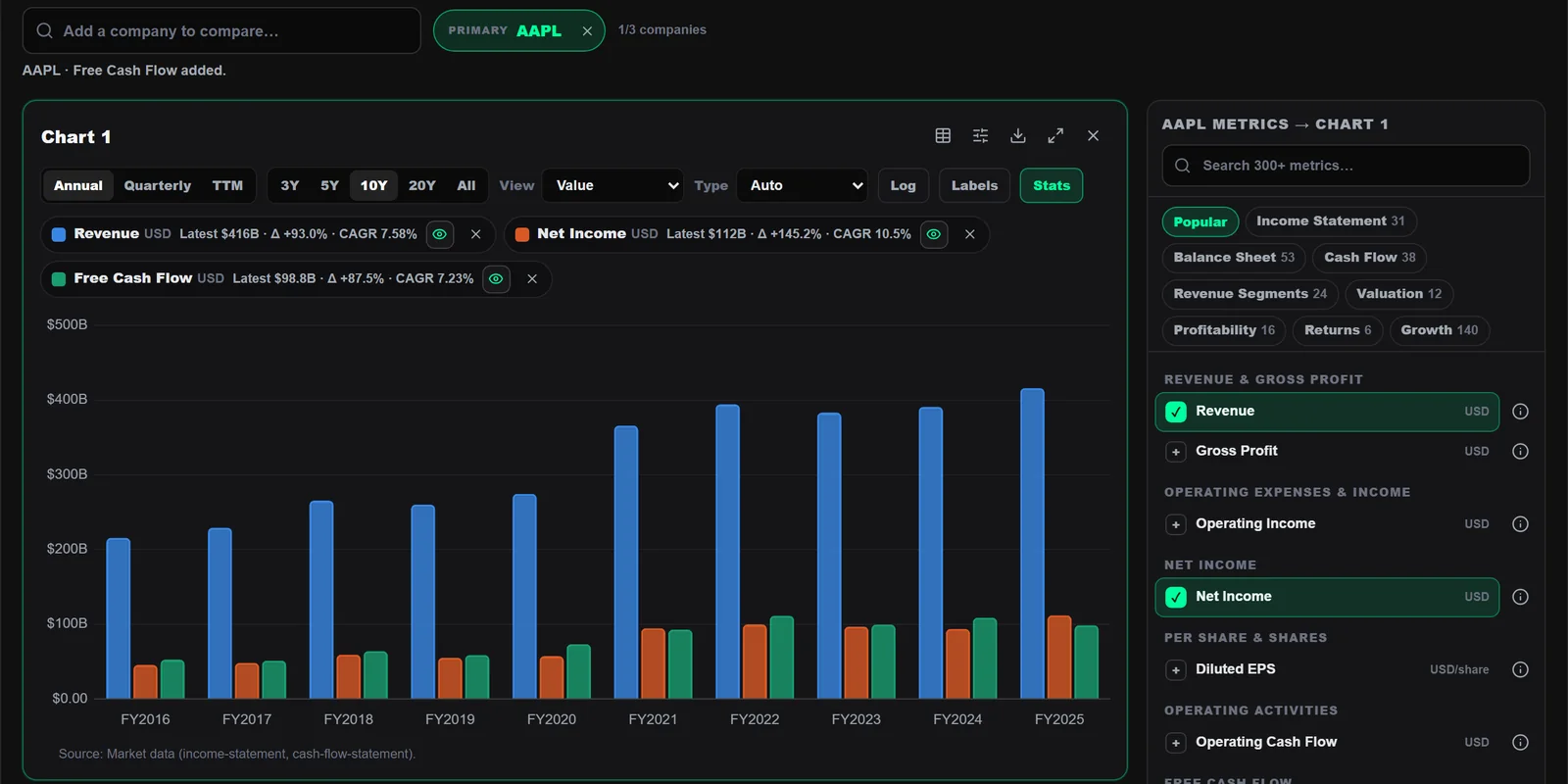
Plot revenue, profit, cash flow, margins, segments and valuation over 1 to 20 years — annual, quarterly or trailing twelve months. Build your own calculated metrics, save charts and templates, and drop a chart straight into a research report.
- 300+ searchable metrics across statements, segments, valuation and growth
- Latest value, total change and CAGR on each series
- Presets, saved charts, templates and a recent list
- Custom metrics: combine any two with + − × ÷
01 — Build
Any metric, any period, on one canvas.
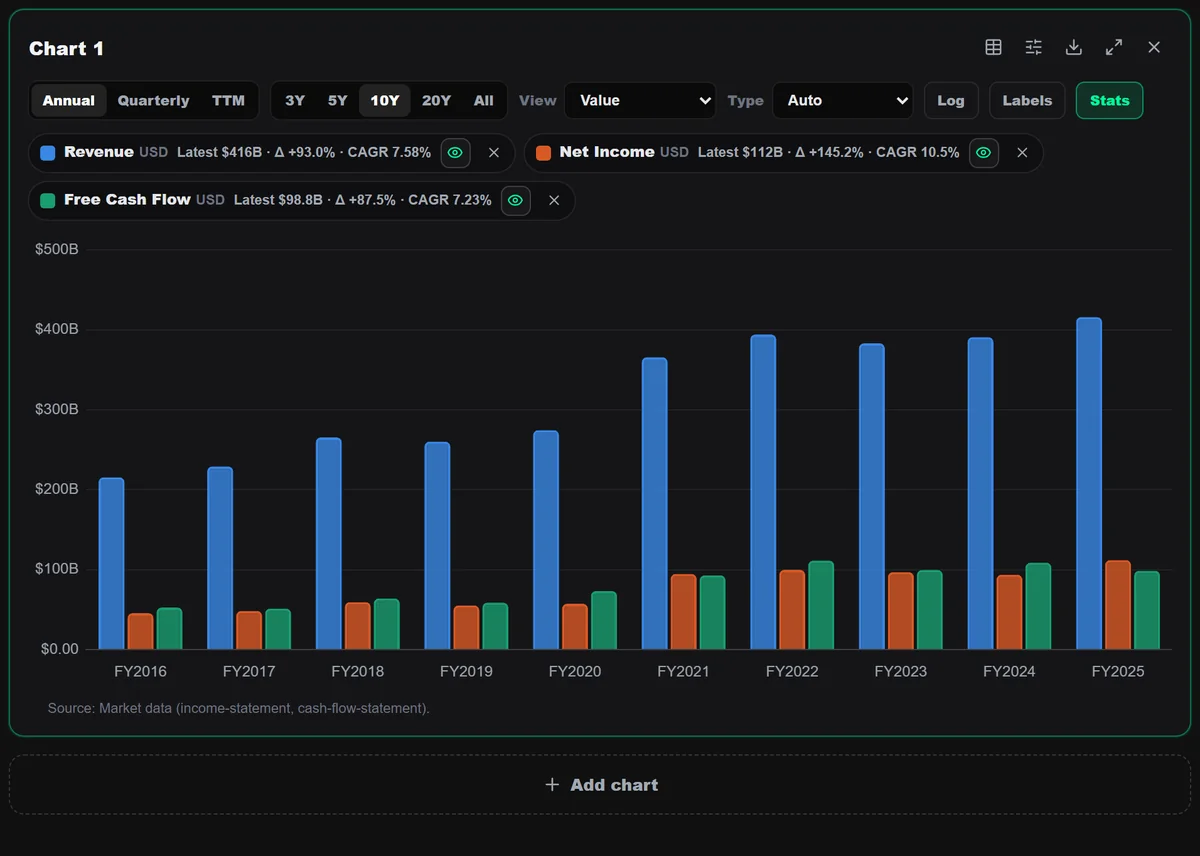
Pick a company, search a metric by name and it lands on the chart. Switch annual, quarterly or TTM, choose 1 to 20 years, change the view to year-over-year growth, and stack several charts in one workspace. Every chart prints its data source underneath.
- Annual, quarterly and TTM; 1Y to 20Y
- Value or growth views, log scale, labels and stats
- Up to three companies side by side (plan dependent)
02 — Your own metrics
Presets to start, formulas to go further.
Start from presets such as revenue & profit or product segments. Create calculated metrics from any two series, save a chart, keep the layout as a template for the next company, or add the chart to a research report.
- Presets and a recent list
- Calculated metrics (A ÷ B and more)
- Saved charts and templates (plan dependent), image export on every plan
Name: FCF margin · unit: % · annual
Also inside
The details that save the afternoon.
Data table
See the numbers behind any chart.
Per-series chart type
Bars for revenue, a line for margin, on the same chart.
Provenance
Each metric shows where its values come from.
Embedded everywhere
Open Chart Builder over any page without losing your place.
To research reports
Send a saved chart into a report block.
Image export
PNG or JPG with an optional FinKut mark, on every plan.
Good to know
Questions about Chart Builder.
Where do the numbers come from?
Reported financial statements and market data. Each chart prints its source and every value keeps its period.
Why is there no CAGR on some series?
CAGR is shown for level metrics such as revenue when both ends are positive. Ratios and margins show change instead.
Works with
Keep the thread going.

Build a clearer view before the market moves on.
No credit card required. Verify your email to activate your account.