10-K & 10-Q
Read the filing. See it in charts.
A 10-K becomes an investor verdict, seven lenses and a deck of charts drawn from the reported figures. A 10-Q gets its own executive summary, management view, guidance, risks and investor FAQ.
- Investor verdict on every analysed 10-K
- Seven lenses: summary, business, financial, risk, management, capital & markets, guidance
- Charts from reported figures — stacked bars, lines, waterfalls, donuts
- Export any chart as PNG or JPG in social and slide sizes
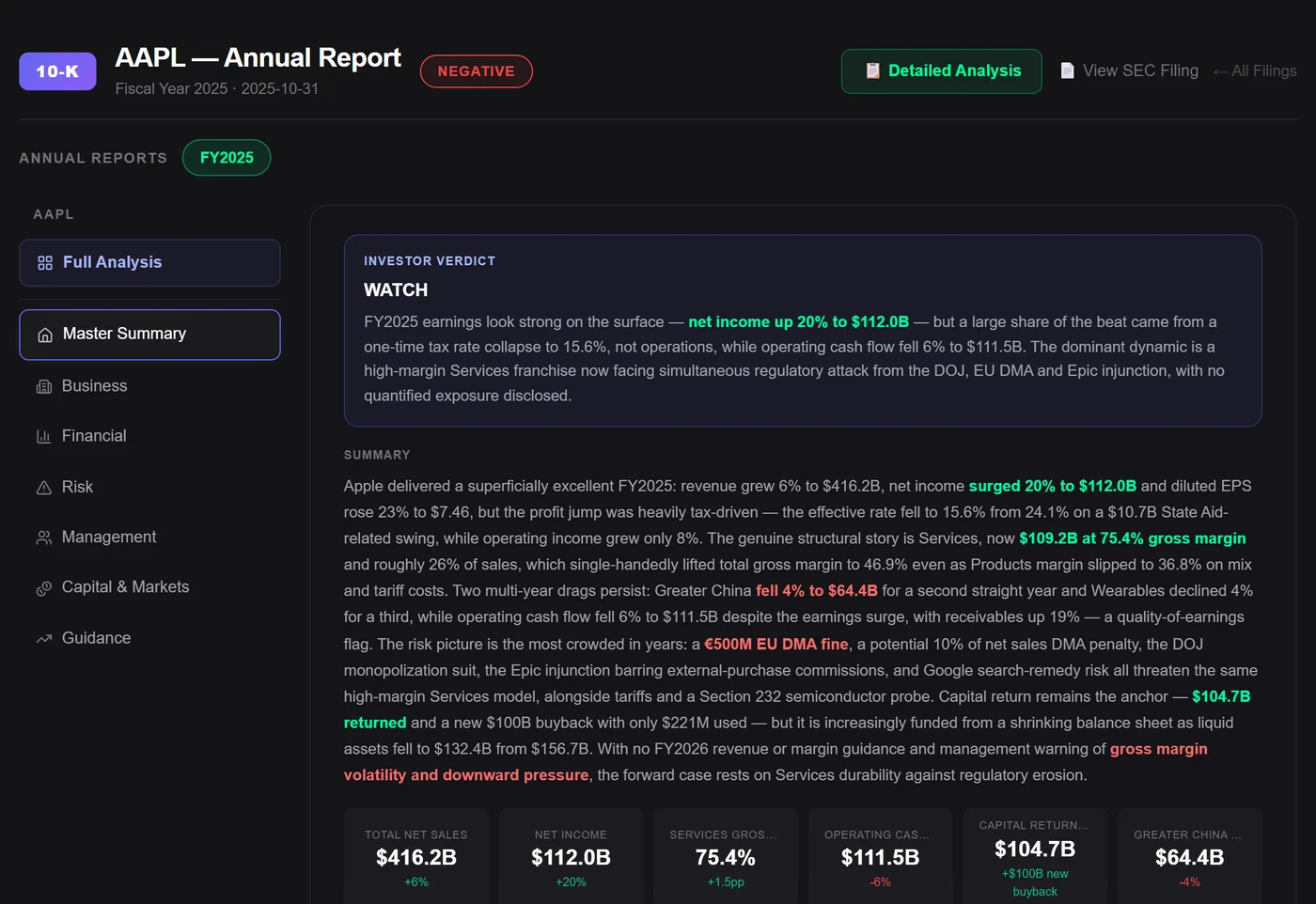
01 — Seven lenses
Every lens starts with a read, then the numbers.
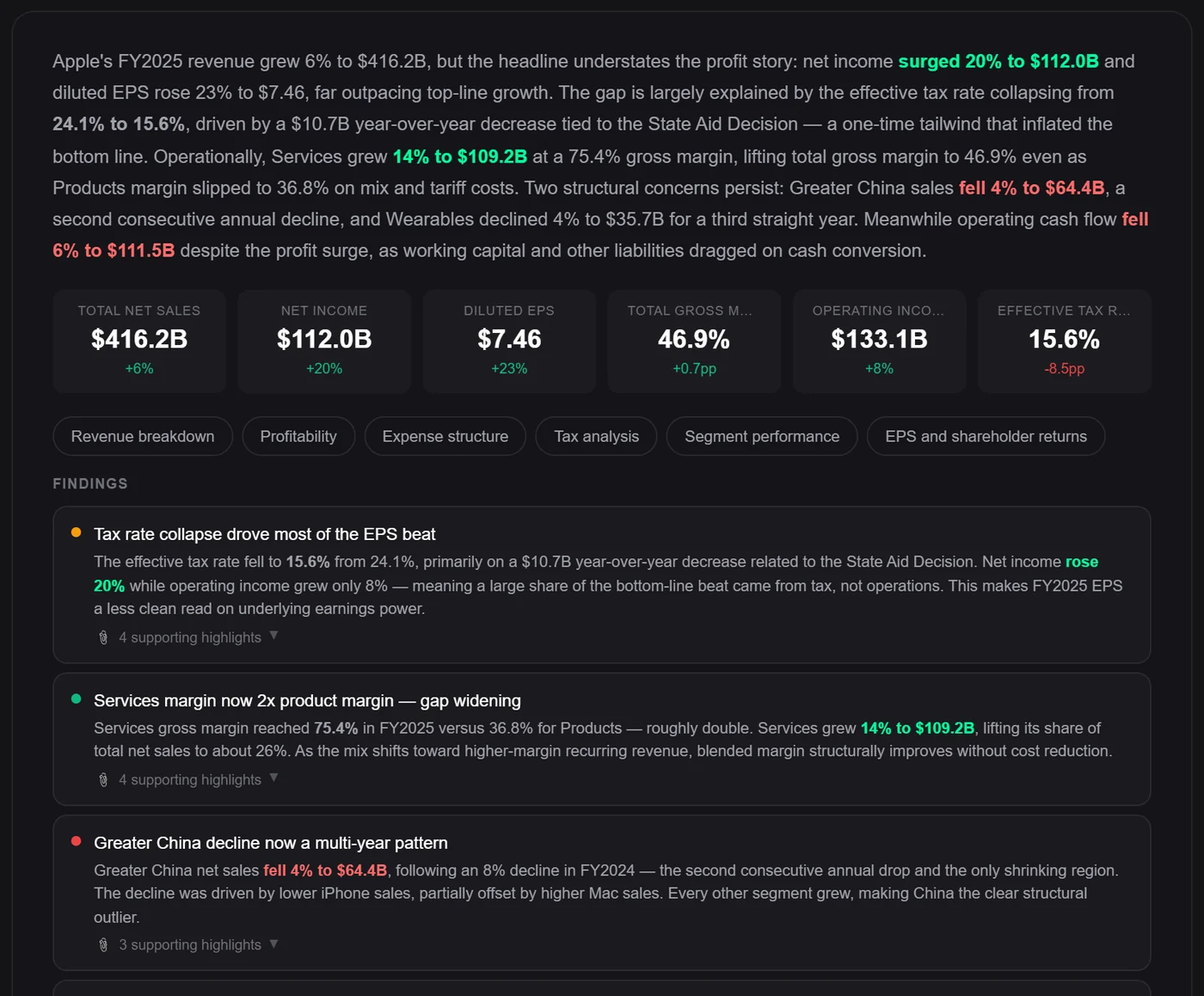
Master summary, business, financial, risk, management, capital & markets and guidance. Each lens opens with a plain-language read, the key figures with their change, topic shortcuts and findings coloured by tone — each one with the supporting highlights it came from.
- Key figures with their change on top of every lens
- Findings coloured positive, negative or watch
- Supporting highlights one click away; the filing opens on SEC EDGAR
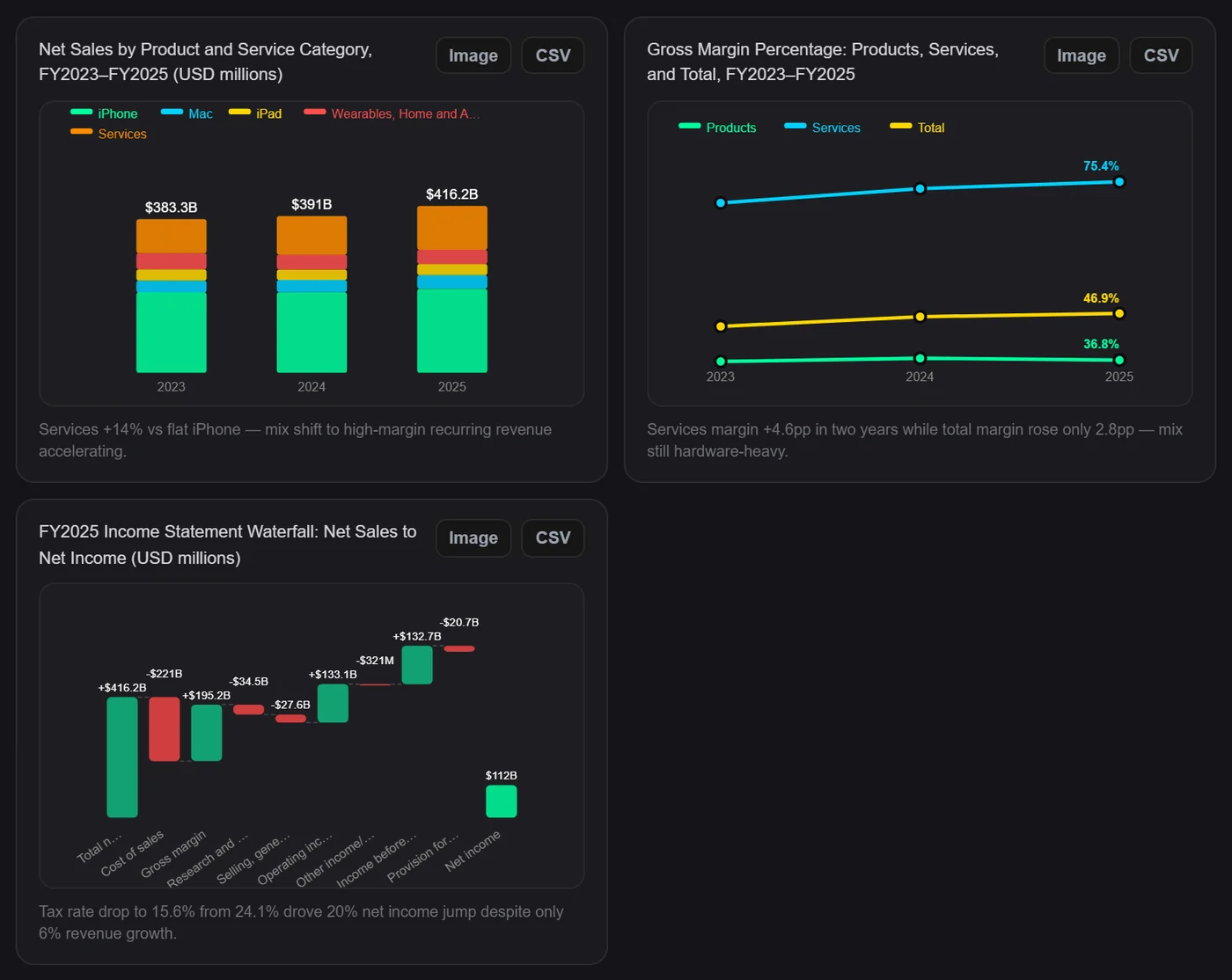
02 — Charts from the filing
The analysis draws its own charts.
Revenue by product, margins over three years, a net-sales-to-net-income waterfall, shareholder returns, cash versus net income — charts are built from the figures the company reported, each with a one-line takeaway. Open any chart full screen with its values table.
- Stacked and grouped bars, lines, waterfalls, donuts and pies
- A short takeaway under every chart
- Full-screen view with the underlying values
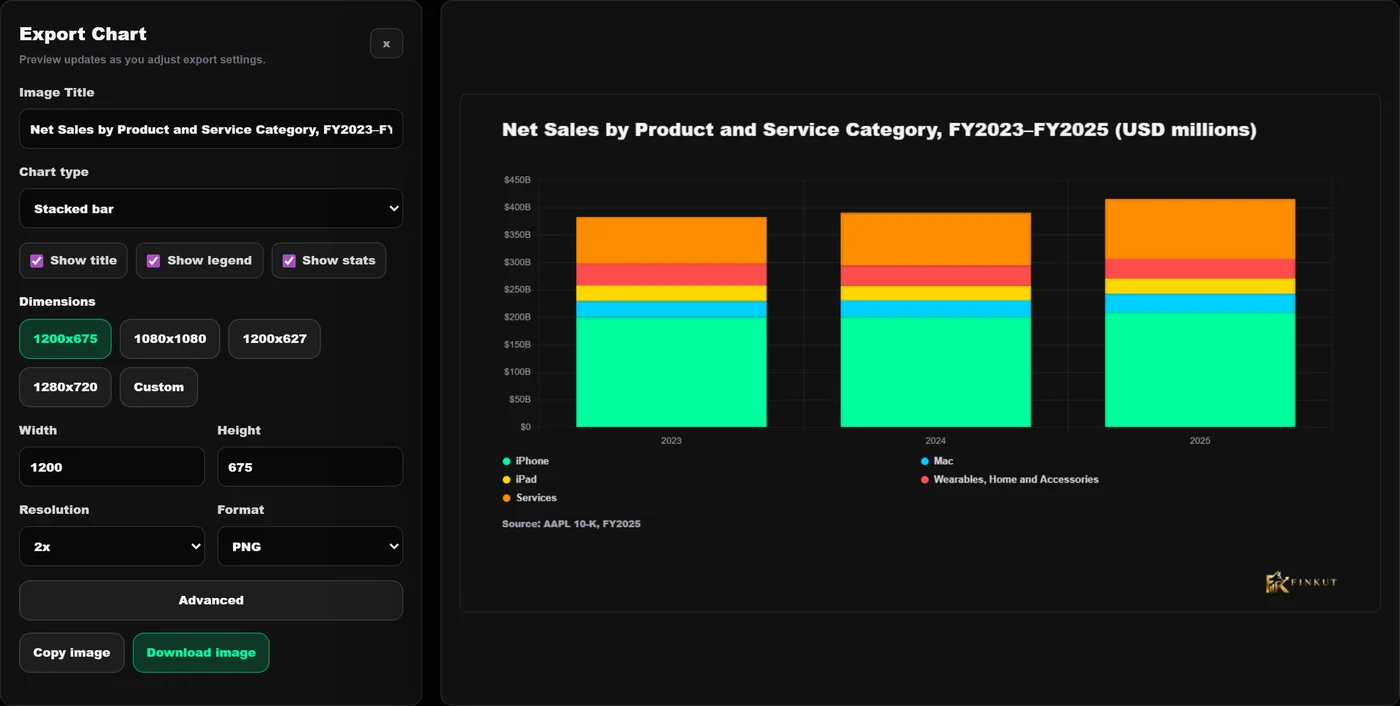
03 — Export studio
From chart to slide in one click.
Every chart opens in an export editor: rename it, switch the chart type, toggle the legend and stats, pick a size made for X, LinkedIn or a slide, choose 1× to 3× resolution and PNG or JPG. Exports are stamped with their source — for example "AAPL 10-K, FY2025" — and the FinKut mark.
- Presets 1200×675, 1080×1080, 1200×627, 1280×720 or custom
- Change chart type, colours, padding, transparent background
- Copy to clipboard or download, on every plan
04 — Risk lens
Risks grouped, rated and played out.
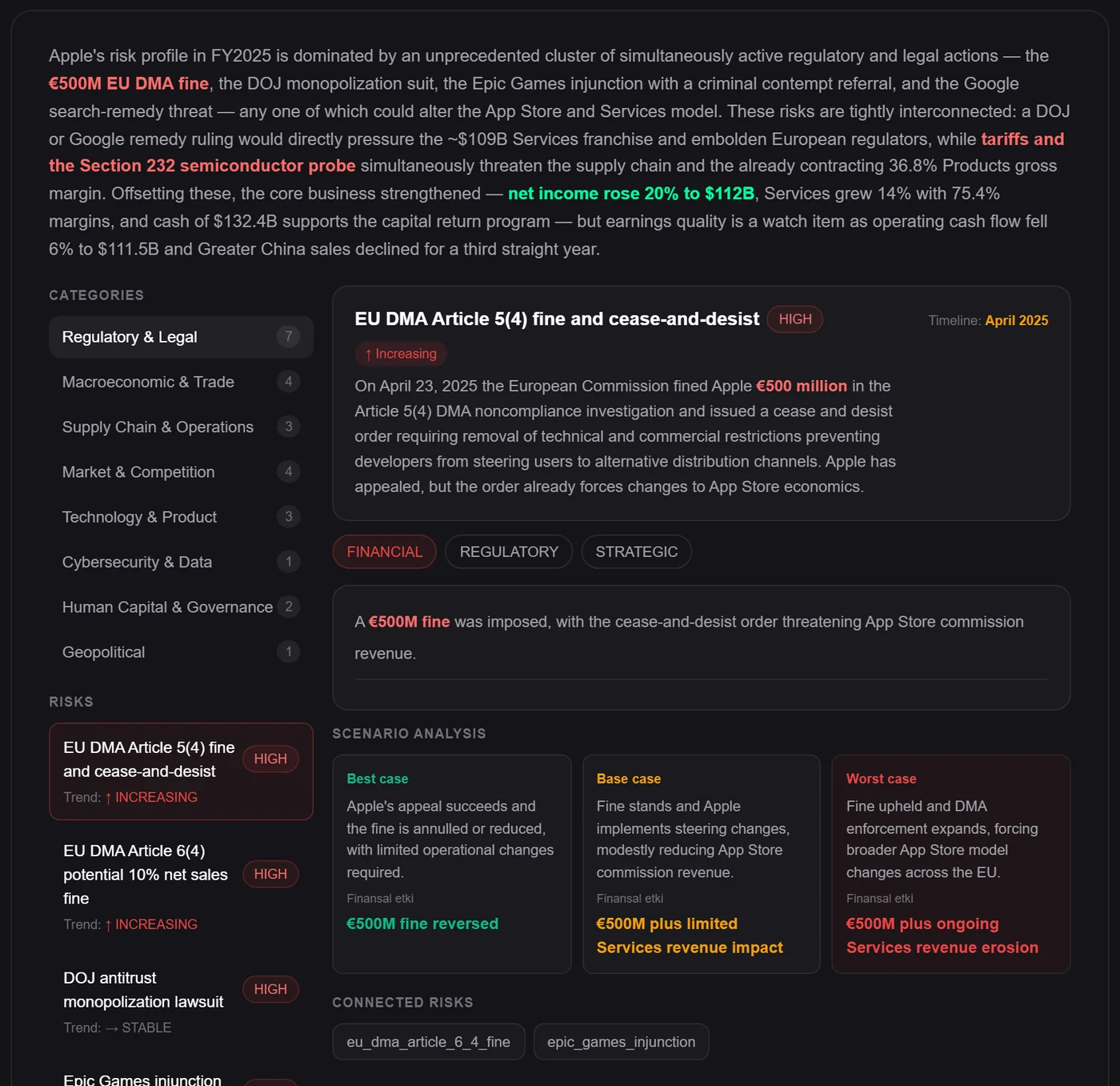
Disclosed risks are grouped into categories with counts. Every risk has a severity, a trend and — when the filing gives one — a timeline. Open it to see its financial, regulatory and strategic angle, a best, base and worst case, and the risks it is connected to.
- Categories with risk counts
- Severity and trend (increasing, stable, decreasing)
- Best, base and worst case for each risk
05 — Quarterly report
The 10-Q, read for you.
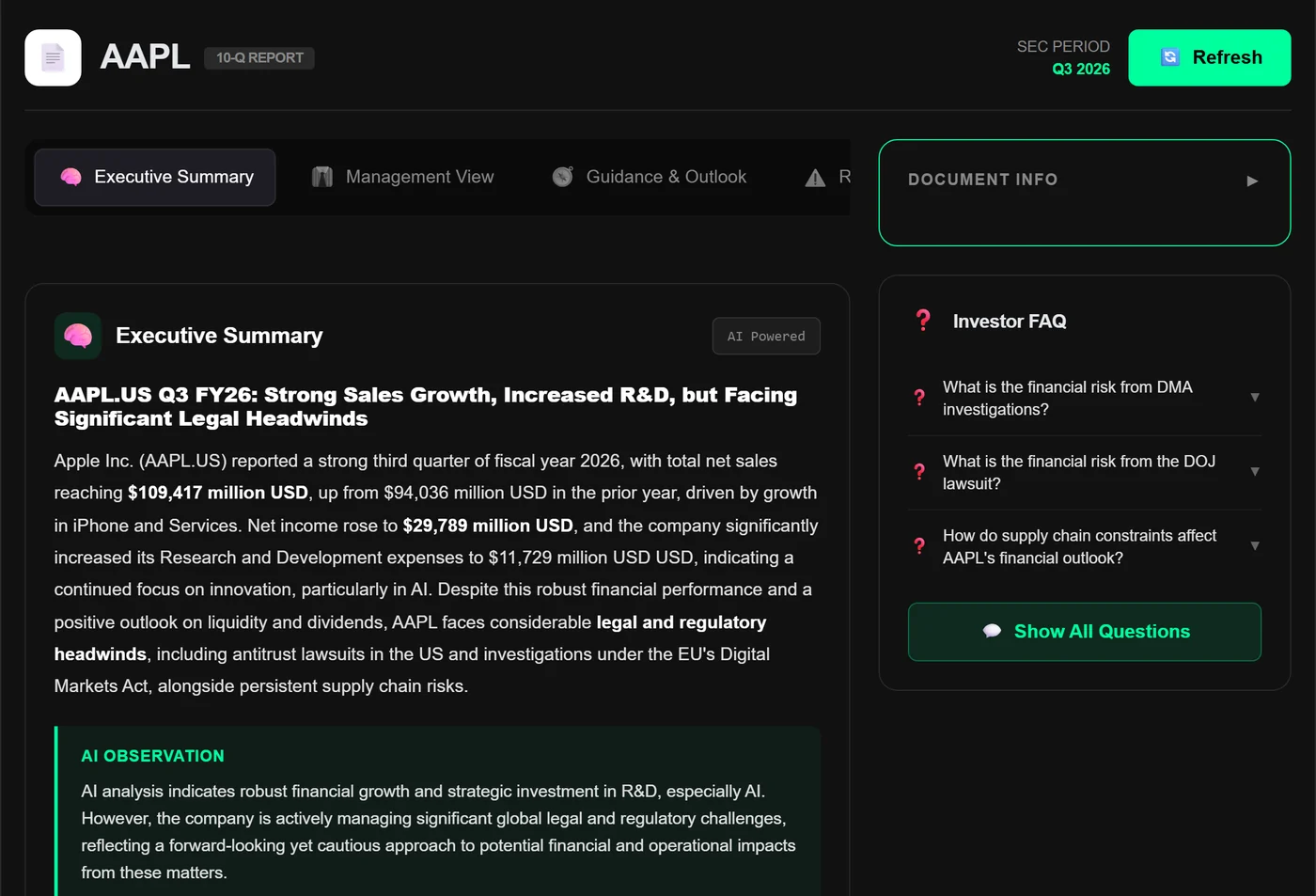
An executive summary with the quarter's figures, an AI observation on what matters, then management view, guidance & outlook, risk highlights and legal & regulatory in their own tabs. An investor FAQ asks the questions you would have asked — and its charts export like the 10-K's.
- Executive summary and AI observation
- Management, guidance, risk and legal tabs
- Investor FAQ generated from the filing
Also inside
The details that save the afternoon.
Fiscal-year switcher
Jump between the analysed years of a company.
Business tree
Products and segments laid out as a drill-down tree.
Topic shortcuts
Revenue breakdown, profitability, tax, segments and more in one tap.
Quick answers
Ask Reflex questions from the report page itself (early access).
All filings
Browse every SEC form for the company, filtered by form and year.
Open the source
Every analysis links to the original filing on SEC EDGAR.
Which filings are covered?
Annual (10-K) and quarterly (10-Q) reports filed with the SEC for the companies we cover. A company's Filings page marks which reports already have an analysis; new analyses depend on your plan.
Who writes the analysis?
A language model reads the filing text and reported figures. Charts are drawn from the reported numbers and findings keep the highlights they came from, so you can check them yourself.
Can the analysis be wrong?
Yes — like any summary it can miss nuance. Treat it as a fast, well-organised first read and open the filing for anything that matters.
Works with
Keep the thread going.

Build a clearer view before the market moves on.
No credit card required. Verify your email to activate your account.