Templates & snapshots
One click, the whole company.
Open any company and get a structured report built for its sector — what it does, the key numbers, growth, margins, cash, valuation and outlook — in tabs you can scan in minutes. Build your own templates, keep snapshots and share a clean link.
- System templates for standard companies, technology, banks, insurers and REITs
- Your own templates: tabs, blocks, layout, notes
- Snapshots, PDF export and sign-in share links
- Charts, tables, analyst data, DCF and news as blocks
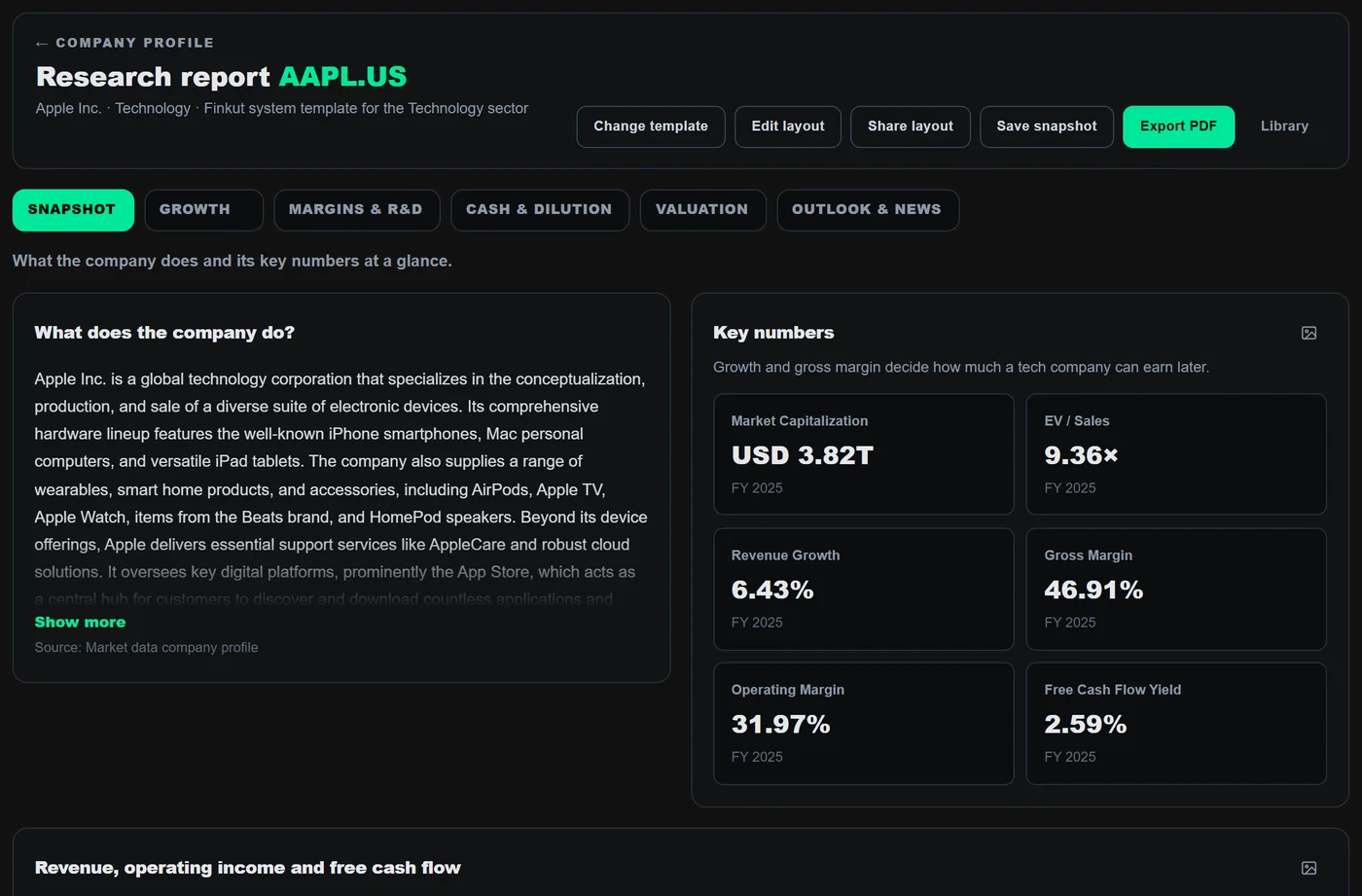
01 — Quick look
The questions that matter, already answered.
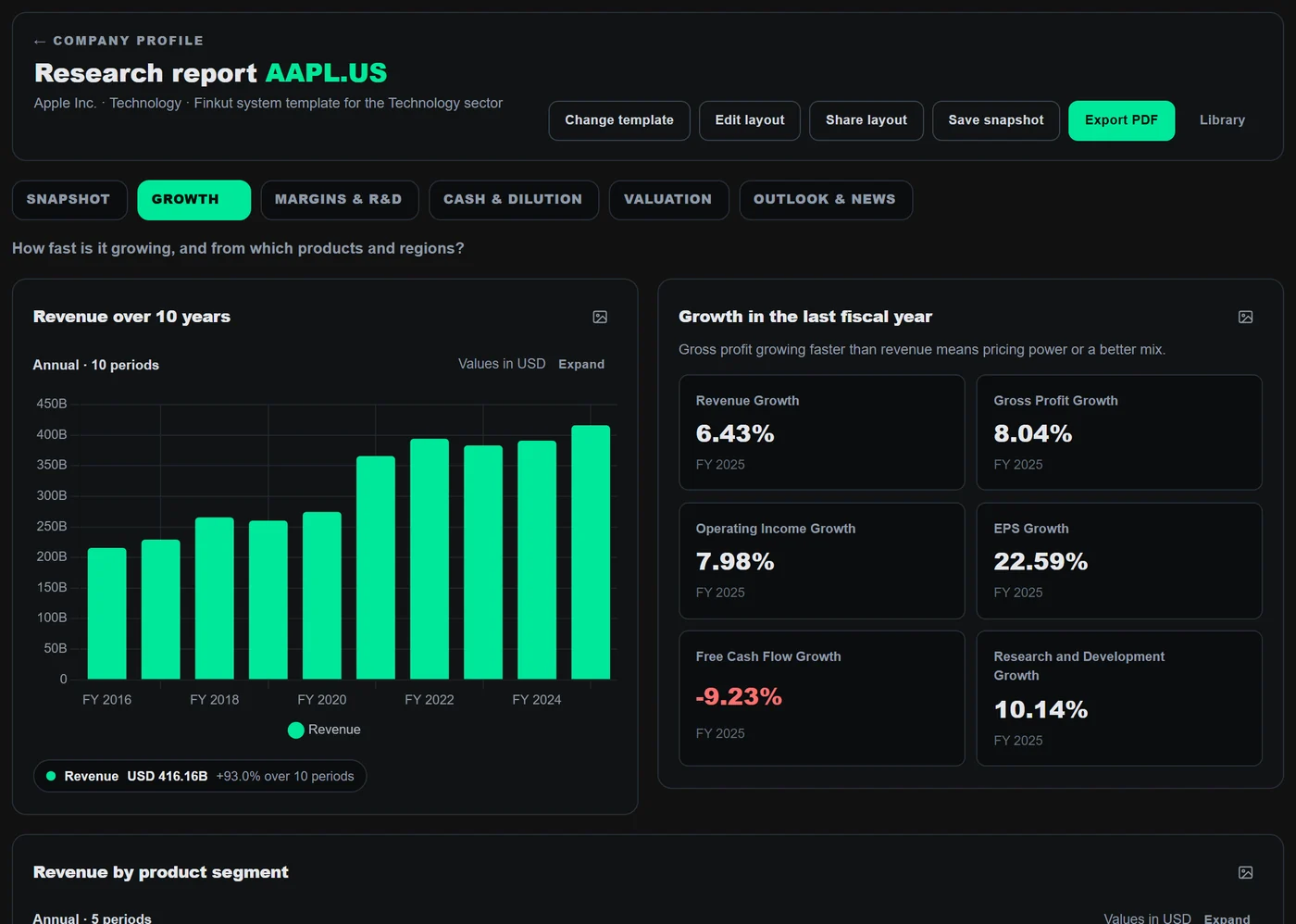
Each tab answers one question — what does the company do, how fast is it growing, how good are its margins, where does the cash go — with ten-year charts, metric cards and tables from reported data. It is the fastest way to get to know a company before you dig in.
- Ten-year charts with expand view
- Metric cards with period labels
- Outlook & news tab with filings and analyst data
02 — Templates
Sector-aware by default. Yours when you want.
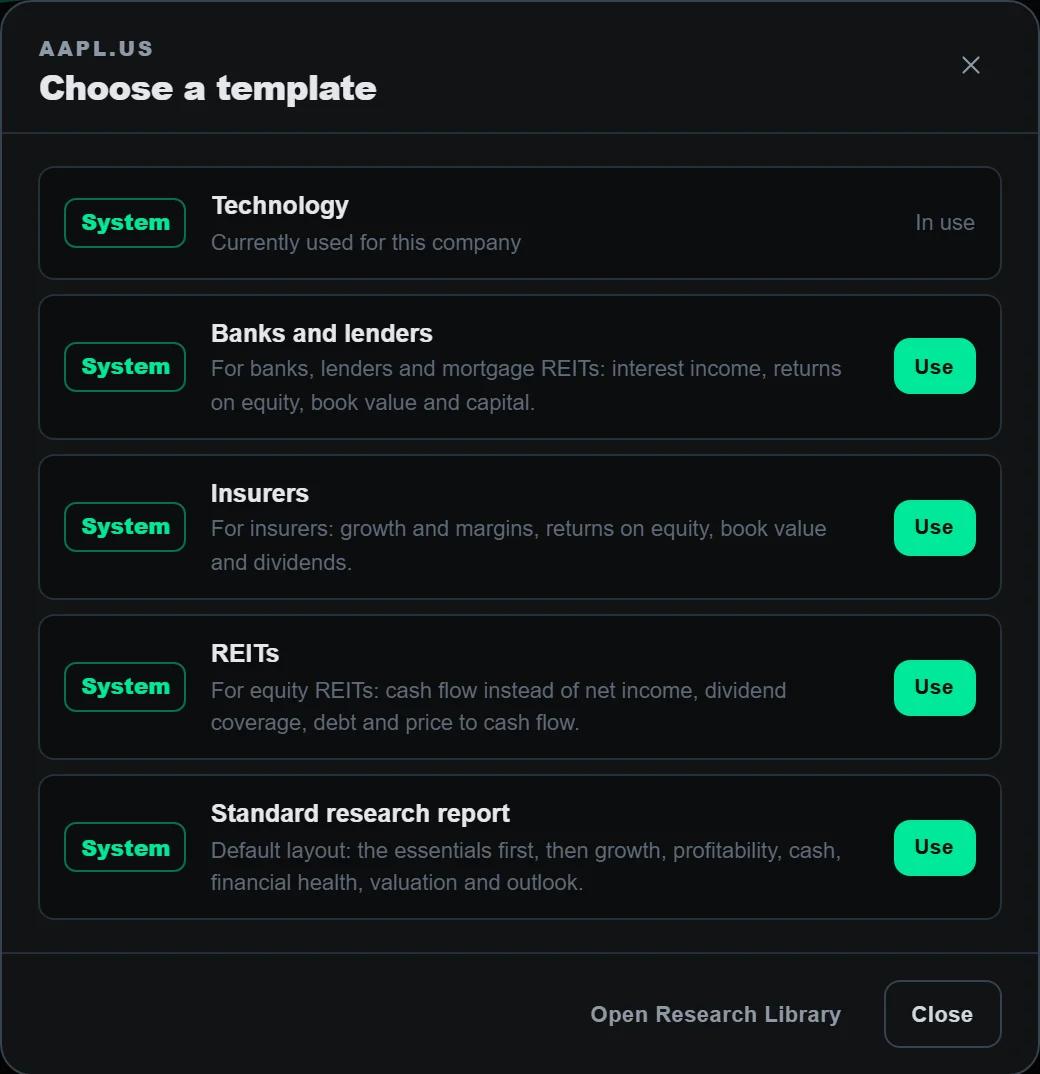
System templates know that a bank needs interest income and book value, a REIT needs cash flow per share, and a tech company needs growth and gross margin. Change the template in one click — or build your own tabs and blocks, set it as your default and apply it to any company.
- Standard, Technology, Banks, Insurers and REITs
- Your own templates and default assignments
- Duplicate, edit layout and share a template
03 — Snapshots & sharing
Keep the version you believed — and share it.
Save a dated snapshot when you finish a review and reopen it next quarter. Export a PDF stamped with the date and the FinKut mark, or share a read-only link with people you trust. Hidden tabs stay out of PDFs and share links.
- Dated snapshots in your library
- PDF export (plan dependent)
- Share links that require sign-in
Templates & snapshots
| Snapshot | Company | Saved | Shared |
|---|---|---|---|
| Q2 review — thesis intact | ASML | Jul 18 | Link |
| Q1 review — watch margins | ASML | Apr 21 | — |
| Initiation — pricing power | COST | Mar 02 | Link |
| Post-earnings check | MSFT | Jan 30 | — |
Also inside
The details that save the afternoon.
Library
Templates, snapshots and system templates in one place, searchable.
Your notes
Write your view next to the data — privately if you want.
From Chart Builder
Add a saved chart or metric straight into a report.
Copy a shared report
Turn someone's shared report or template into your own.
Hidden tabs
Private tabs stay out of PDFs and share links.
Re-use next quarter
Apply the same template when new numbers land.
Good to know
Questions about Research Reports.
Who can open a shared report?
Anyone you send the link to, after signing in. Shared links are read-only.
Can I export a report?
Yes, as PDF, within the limits of your plan.
Works with
Keep the thread going.

Build a clearer view before the market moves on.
No credit card required. Verify your email to activate your account.